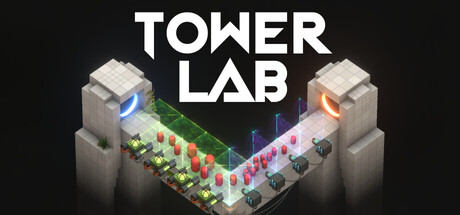
- Tower Lab demo download access should be checked through the official Steam store page.
- Demo status has been publicly discussed, but the store page does not guarantee a permanent demo listing.
- Early Access date is planned for September 7, 2026, subject to the store’s live status.
- System support includes Windows 10 64-bit and macOS 12.0 Monterey or later.
- Safe access means avoiding unofficial download mirrors, repacks, and unknown executable files.
Tower Lab Demo Download Status
The Tower Lab demo download route begins with the official Steam listing, but access depends on what the developers have enabled on the store page at the time you check. The listing describes a playable demo that had already been available for more than six months in a June 2026 announcement. However, the same store page also identifies the full title as not yet available and lists a planned Early Access release for September 7, 2026.
This means players should distinguish between three different states: a demo announcement, a live demo button, and the upcoming Early Access product. A demo may be available separately from the main purchase flow, while the Early Access version may remain locked until its scheduled release.
| Store status | What it means | Recommended action |
|---|---|---|
| Demo button visible | The demo is currently listed for access | Use the official Steam page and select the demo option |
| Wishlist option only | The full game is not yet unlocked | Add Tower Lab to your wishlist for release notifications |
| Early Access available | The planned launch window has opened | Review the store details before installing |
| No demo or install option | Access is not currently exposed on the listing | Check official announcements and return later |
For the safest route, open the official Tower Lab Steam page and inspect the current buttons beneath the store artwork. Do not assume that a search result, third-party download page, or old social post reflects the current availability.
Do not install files labeled as a Tower Lab demo from unknown mirrors. The official store page is the reliable place to verify whether a demo or Early Access build is available.
Official Steam Listing
The primary access point for the demo, wishlist status, release information, languages, and system requirements.
Demo Build
A separate playable preview may be listed when enabled by the developers. Check for a dedicated demo option instead of assuming the full game is unlocked.
Early Access Version
The planned September 2026 release expands the playable experience with campaign modes, progression, towers, cores, and additional systems.
What the Tower Lab Demo Lets You Test
Tower Lab is a physics-driven strategy game built around pushing robots from the map rather than reducing traditional health bars. The main experiment is simple to understand but broad in execution: towers can push, pull, bounce, grow, shrink, and fling enemies through physical interactions.
The demo is most useful for testing whether this design suits your preferred strategy style. It emphasizes experimentation over a fixed damage rotation, so the strongest setup may depend on tower placement, projectile size, enemy mass, and the way multiple structures interact.
| Core mechanic | How it works | What to test first |
|---|---|---|
| Physics combat | Enemies are displaced instead of defeated through standard damage numbers | Push a target toward edges, hazards, or launch paths |
| Open placement | Towers can be placed in open spaces and moved freely | Try several angles around one enemy route |
| Tower combinations | Structures interact through physics-based synergies | Combine push, pull, bounce, and projectile effects |
| Mass manipulation | Robots and projectiles can become larger or smaller | Compare easier displacement against improved rewards |
| Roguelite progression | Runs improve through purchases, rerolls, removals, and upgrades | Build around one reliable interaction before adding complexity |
A useful first test is to place one control-focused tower near an edge and observe how much space it needs to operate. After that, add a second tower that changes the enemy’s movement direction. This teaches the game’s central lesson: a tower’s value depends not only on its individual effect, but also on the physical situations it creates for other towers.
The store description also presents sandbox experimentation as a major part of the design. Players can place structures without being limited to a conventional tower-defense grid, giving the demo a more experimental feel than a standard lane-defense game.
Start with a simple push setup, then add only one supporting tower. Limiting the variables makes it easier to understand why a combination succeeds or fails.
Use the following comparison when deciding how to approach an early run:
| Playstyle | Priority | Strength | Common mistake |
|---|---|---|---|
| Edge control | Push power and positioning | Converts map geometry into a win condition | Building too far from useful launch points |
| Bounce setup | Repeated movement and angle control | Can redirect enemies through several interactions | Ignoring the timing of each collision |
| Growth strategy | Larger projectiles and higher rewards | Creates stronger effects with additional risk | Increasing mass before securing control |
| Shrink strategy | Lower enemy mass and easier displacement | Makes targets more manageable | Sacrificing reward potential too early |
Step-by-Step Demo Access Guide
Follow these steps to verify the current Tower Lab demo or upcoming Early Access build without relying on third-party download pages.
Open the Official Store Page
Navigate to the Tower Lab Steam listing. Confirm that the title, developers, screenshots, and store description match Tower Lab before continuing.
Check for a Demo Option
Look for a clearly labeled demo, play-now, or install option. If only a wishlist button appears, the full game may still be locked or the demo may not be exposed in your region or current store state.
Review the Build Status
Read the current release label. The listing identifies Tower Lab as an Early Access strategy title with a planned release date of September 7, 2026. Treat planned information as subject to change.
Confirm Your Hardware
Compare your computer with the minimum Windows or macOS requirements before installing. Pay particular attention to operating system version, memory, graphics support, and available storage.
Install Through Steam
If an official install button is available, use the Steam client to begin the download. Avoid executable files, compressed archives, or launchers supplied by unrelated websites.
The official listing identifies Devon Powell and Xueer Zhu as both developer and publisher. Matching those details is a useful way to confirm that you are viewing the intended product rather than a similarly named page.
| Verification point | Official listing detail |
|---|---|
| Title | Tower Lab |
| Developer | Devon Powell, Xueer Zhu |
| Publisher | Devon Powell, Xueer Zhu |
| Planned release | September 7, 2026 |
| Store category | Strategy Games |
| Early Access | Yes, planned as a work-in-progress release |
Install only when the Steam page provides the official access control. A legitimate demo should not require disabling security software or downloading a separate unknown launcher.
Tower Lab PC Requirements
Tower Lab lists separate minimum requirements for Windows and macOS. The Windows version requires a 64-bit operating system, Windows 10 64-bit, 8 GB of RAM, and a DirectX 11-compatible graphics card with 2 GB of VRAM. The macOS listing supports macOS 12.0 Monterey or later and names Apple M1, Intel Iris Plus Graphics 640, and AMD Radeon Pro 555 among the minimum graphics options.
These specifications are minimum targets rather than performance guarantees. Physics-heavy scenes can place additional demands on the processor and graphics hardware, particularly when multiple towers and robots interact simultaneously.
| Platform | Operating system | Processor | Memory | Graphics | Storage |
|---|---|---|---|---|---|
| Windows | Windows 10 64-bit | Intel Core i5-4590, AMD FX-8350, or equivalent | 8 GB RAM | GTX 960, R9 280, or equivalent; 2 GB VRAM | 2 GB |
| macOS | macOS 12.0 Monterey or later | Apple M1 or Intel Core i5 from 2018 or newer | 8 GB RAM | Apple M1, Intel Iris Plus 640, or Radeon Pro 555 | 2 GB |
Before starting a download, confirm that your system has more free space than the listed minimum. The game page specifies 2 GB of available storage, but the operating system, Steam client, shader data, updates, and save files may need additional room.
The title also lists several accessibility-related options, including adjustable difficulty, save anytime, camera comfort, custom volume controls, a mouse-only option, and play without quick-time events. These settings can make the first demo session easier to adapt to different control preferences.
| Feature | Availability |
|---|---|
| Adjustable difficulty | Listed |
| Save anytime | Listed |
| Camera comfort | Listed |
| Custom volume controls | Listed |
| Mouse-only option | Listed |
| Quick-time-event-free play | Listed |
The listed requirements describe the supported baseline. For smoother physics scenes, close unnecessary applications and leave extra storage available for updates.
Demo Checklist and First-Run Priorities
A short checklist helps separate access problems from performance problems. First verify the store status, then confirm that the installed build launches correctly, and only afterward begin testing tower combinations.
Before You Start:
- Open the official Tower Lab Steam page
- Confirm whether a demo or install button is visible
- Compare your system with the Windows or macOS minimum requirements
- Keep at least 2 GB of available storage plus extra update space
- Test one basic push setup before experimenting with complex combinations
For the first session, focus on learning the physics rather than maximizing every run. Place towers with enough room to influence movement, observe how projectiles change enemy behavior, and use rerolls or upgrades only after identifying the interaction you want to strengthen.
| First-session goal | Suggested approach | Success signal |
|---|---|---|
| Learn displacement | Use one push-focused tower near an edge | Robots move predictably toward the boundary |
| Test synergy | Add one tower with a different movement effect | The second tower improves the first interaction |
| Understand mass | Compare smaller and larger targets | You can identify the risk-reward difference |
| Improve a run | Purchase or upgrade after testing | The build becomes more consistent, not merely more complicated |
| Explore sandbox play | Move towers and retry the same setup | Placement changes produce visibly different outcomes |
If the demo is unavailable, the best alternative is to wishlist the official listing and monitor the developer’s announcements. The store page describes a community feedback process involving updates, discussion boards, Steam reviews, and Workshop plans. Those channels are more dependable than download aggregators that may preserve outdated files.
Early Access information is a development plan, not a fixed content guarantee. Tower counts, workshop tools, balance, regions, and late-game systems may change as development continues.
Tower Lab Demo Download FAQ
Q: Where should I look for the Tower Lab demo download?
Use the official Tower Lab Steam listing first. If the developers have enabled a demo, the store page should provide a dedicated access or install option. Do not rely on unofficial mirrors.
Q: Is Tower Lab available in Early Access on September 6, 2026?
The store listing gives September 7, 2026 as the planned Early Access release date and states that the game is not yet available. Check the live listing because planned release timing can change.
Q: What does the Tower Lab demo focus on?
The preview is centered on physics-driven tower defense. Instead of traditional health reduction, towers push, pull, bounce, grow, shrink, and fling robots from the map.
Q: Can I run Tower Lab on macOS?
The listing provides macOS minimum requirements of Monterey 12.0 or later, 8 GB RAM, and supported Apple, Intel, or AMD graphics hardware. Compare your Mac with the published specifications before installing.
The most important takeaway is to verify the current store state before searching for a download. Tower Lab’s design is built around experimentation, and the official page is the best place to confirm whether the demo, Early Access build, or only wishlist access is currently available.
Wishlist Tower Lab through the official store page, check the access button again on September 7, 2026, and begin with a small physics experiment before pursuing advanced builds.