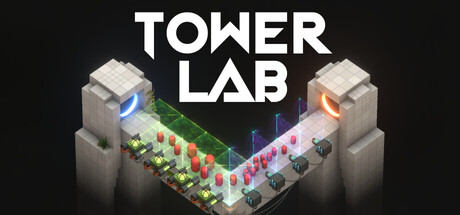
- Tower Lab download is planned through Steam for the September 7, 2026 release.
- Current status: The Steam page lists the game as not yet available on September 6, 2026.
- Game format: Expect a physics-driven roguelite tower defense strategy game.
- PC support: Windows 10 64-bit and macOS 12.0 Monterey or later are listed.
- Before installing: Check storage, memory, graphics, and operating system requirements.
Tower Lab download Status and Steam Access
As of September 6, 2026, the Tower Lab download is not unlocked on Steam. The official store listing gives September 7, 2026 as the planned release date and identifies the launch format as Early Access. Players can open the official Tower Lab Steam page to wishlist the game and receive a notification when it becomes available.
The listed release timing means access may depend on the Steam unlock schedule in your region. Until the store page changes from “not yet available,” a download button should not be expected. Avoid third-party installers or unofficial mirrors, because the official listing is the appropriate place to obtain the game and receive updates.
| Access Detail | Current Information |
|---|---|
| Planned release | September 7, 2026 |
| Store platform | Steam |
| Launch format | Early Access |
| Current listing status | Not yet available on September 6, 2026 |
| Developers | Devon Powell, Xueer Zhu |
| Publisher | Devon Powell, Xueer Zhu |
| Game type | Physics-driven roguelite tower defense |
| Installation size | 2 GB available space listed |
Wishlist First
Add Tower Lab to your Steam wishlist so the store can notify you when the planned release unlocks.
Use the Official Listing
Install through the official Steam page rather than downloading files from unverified websites.
Check Your System
Review the Windows or macOS requirements before release day to reduce installation problems.
The Steam page describes September 7, 2026 as a planned release date. Store unlock timing can vary by region, so check the listing directly when access opens.
How to Download Tower Lab on Steam
Once the game becomes available, the installation process should follow the standard Steam workflow. These steps are designed for new players who want to prepare an account and install Tower Lab safely after the Early Access release unlocks.
Open the Official Steam Listing
Visit the Tower Lab Steam store page and confirm that the title, developers, and Early Access information match the official listing.
Add the Game to Your Library
When the release is unlocked, use the store page’s purchase or access option. The game should then appear in your Steam Library. The current listing does not show an available download button before release.
Choose an Installation Drive
Open your Steam Library, select Tower Lab, choose Install, and select a drive with at least 2 GB of free space. Extra room is useful for updates and temporary installation files.
Start the Installation
Review the selected installation folder and begin the Steam download. Keep Steam open while the client verifies and installs the game files.
Launch and Adjust Settings
Start Tower Lab from your Library, allow the first setup to finish, and review graphics, camera comfort, volume, and input settings before beginning a run.
| Installation Stage | What to Confirm |
|---|---|
| Store page | Correct title, developers, and release status |
| Library | Tower Lab appears after access is granted |
| Storage | At least 2 GB free space |
| Download | Steam client remains connected |
| First launch | Graphics, audio, camera, and input options are available |
Install Tower Lab on an SSD when possible. The listed storage requirement is small, but leaving additional free space can help Steam manage updates more smoothly.
Tower Lab System Requirements
Tower Lab lists minimum requirements for both Windows and macOS. The Windows specification requires a 64-bit operating system, Windows 10 64-bit, 8 GB of RAM, and a DirectX 11-compatible graphics card with 2 GB of VRAM.
The macOS listing supports macOS 12.0 Monterey or later. Compatible hardware includes Apple M1 systems and selected Intel configurations. Because the game is built around physics interactions, performance may vary depending on the number of active towers, projectiles, robots, and environmental objects on screen.
| Component | Windows Minimum | macOS Minimum |
|---|---|---|
| Operating system | Windows 10 64-bit | macOS 12.0 Monterey or later |
| Processor | Intel Core i5-4590 / AMD FX-8350 or equivalent | Apple M1 or Intel Core i5, 2018 or newer |
| Memory | 8 GB RAM | 8 GB RAM |
| Graphics | NVIDIA GTX 960 / AMD R9 280, 2 GB VRAM | Apple M1, Intel Iris Plus 640, or Radeon Pro 555 |
| DirectX | Version 11 | Not listed |
| Storage | 2 GB available space | 2 GB available space |
| Architecture | 64-bit processor and operating system | Supported listed Mac hardware |
The Steam listing provides a Windows minimum specification but does not present a full Windows recommended configuration. Treat the minimum hardware as a baseline rather than a performance guarantee.
Supported Features
The Steam page lists several features that may affect how you play and configure the game:
- Single-player support
- Steam Achievements
- Steam Workshop
- Steam Cloud
- Steam Leaderboards
- Built-in level editor
- Family Sharing
- Steam Deck compatibility marked as Playable
- Adjustable difficulty
- Save anytime
- Camera comfort options
- Custom volume controls
- Mouse-only input option
- No quick-time events required
The game also lists interface support for English, French, German, Simplified Chinese, Traditional Chinese, Japanese, Brazilian Portuguese, Russian, Latin American Spanish, Korean, Polish, Turkish, Italian, Thai, Ukrainian, Vietnamese, and Spanish from Spain.
| Feature Group | Listed Support |
|---|---|
| Game mode | Single-player |
| Creation tools | Level editor and Steam Workshop |
| Progress tracking | Achievements and leaderboards |
| Save support | Steam Cloud and save anytime |
| Accessibility | Adjustable difficulty, camera comfort, custom volume |
| Input | Mouse-only option, no quick-time events |
| Portable play | Steam Deck marked Playable |
What to Expect After Installation
Tower Lab is a strategy game centered on physics rather than conventional enemy health bars. Enemies do not rely on damage numbers; instead, towers push, pull, bounce, grow, shrink, and launch robots from the map. This makes placement, momentum, mass, and interactions central to each run.
The game combines tower defense with roguelite deckbuilding. Players draft cards, place towers in open spaces, connect effects through physical interactions, and improve a run by purchasing, rerolling, removing, or upgrading options. The objective is to create reliable machines that control enemy movement before the robots reach critical areas.
Physics Combat
Push, pull, bounce, grow, shrink, and fling robots instead of reducing health bars.
Flexible Placement
Place towers freely in open spaces and experiment with positioning during a run.
Roguelite Builds
Draft cores and cards that change the rules, risks, rewards, and available combinations.
Sandbox Creation
Use the level editor and Workshop features to build, decorate, and share custom levels.
The Early Access listing describes an initial roster of 20 playable towers, each with its own technology tree. It also lists 40 total cores, including 26 run-modifying player cores and 14 Hazard Cores, alongside physics-effect cards, utility cards, traps, and five playable machines.
| System | Early Access Listing |
|---|---|
| Playable towers | 20, each with a tech tree |
| Total cores | 40: 26 player cores and 14 Hazard Cores |
| Physics-effect cards | 7 |
| Utility cards | 8 |
| Traps | 7 |
| Playable machines | 5 |
| Campaign regions | 3 planned for the initial Early Access campaign |
| Modes | Roguelite campaign, sandbox tools, and leaderboards |
Begin with simple tower combinations and observe how objects move before investing in complex interactions. Reliable displacement is usually more valuable than adding effects you cannot control.
Practical Download-Day Preparation
Use the following preparation list before attempting your first run:
Download-Day Checklist:
- Confirm the official Steam page shows Tower Lab as available
- Verify at least 2 GB of free storage plus room for updates
- Check Windows 10 64-bit or macOS 12.0 Monterey compatibility
- Update graphics drivers or system software before launching
- Review camera, difficulty, audio, and mouse-only input settings
Early Access Considerations and Safe Access
Tower Lab is planned as an Early Access release, so its content, balance, performance, and tools may change during development. The developers describe an expected Early Access period of roughly six to twelve months, while noting that the timeline can shift as development continues.
The planned full version includes a larger roster of towers, traps, units, and machines; more cores and cards; additional campaign levels, enemies, and regions; player-created sandbox levels; and continued balance, performance, and visual improvements. These are development plans rather than guaranteed launch-day features.
| Early Access Area | What Players Should Expect |
|---|---|
| Content | A playable core game with multiple modes and meta progression |
| Balance | Ongoing tuning based on feedback and player data |
| Late-game content | Still subject to development and adjustment |
| Workshop tools | Planned to expand during development |
| Updates | New content, quality-of-life changes, and bug fixes may arrive over time |
| Price changes | Developers plan a modest increase of around 25% after Early Access |
For a safe Tower Lab download, stay with the official Steam distribution page. The store listing also identifies Steam Cloud, Workshop, achievements, leaderboards, and Steam Deck compatibility, making the official client the most practical route for installation and updates.
Do not rely on copied executables, torrent packages, or third-party “download” pages claiming to unlock Tower Lab early. Wait for the official Steam release status to change.
Recommended First Launch Settings
New players can reduce friction by checking these options before beginning a campaign:
- Use adjustable difficulty if the physics systems feel unpredictable.
- Enable camera comfort options if the isometric view causes discomfort.
- Set custom volume levels for effects, interface sounds, and music.
- Keep save-anytime behavior in mind when testing risky tower combinations.
- Use the mouse-only option if you prefer a simpler control scheme.
- Start with campaign experimentation before building elaborate sandbox levels.
Tower Lab Download FAQ
Q: When can I download Tower Lab?
The official Steam listing gives September 7, 2026 as the planned Early Access release date. On September 6, 2026, the page still states that the game is not yet available, so download access should begin only after the store unlocks.
Q: Where should I download Tower Lab?
Use the official Tower Lab Steam store page and install the game through the Steam client after it becomes available. This is the listed distribution route and avoids unverified third-party files.
Q: How much storage does Tower Lab require?
The Steam listing specifies 2 GB of available storage for both the Windows and macOS requirements. Keeping additional free space is sensible for updates and temporary installation files.
Q: What kind of game is Tower Lab?
Tower Lab is a physics-driven roguelite tower defense strategy game. Its enemies have no conventional health bars; towers manipulate movement through pushing, pulling, bouncing, growing, shrinking, and launching.
Check the official Steam listing on September 7, 2026 for the live unlock state, installation button, and any release-day changes.