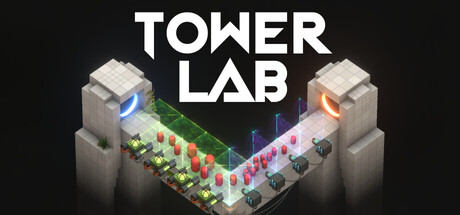
- Tower Lab roguelite combines tower defense, deckbuilding, and physics-driven enemy control.
- Core objective: Push, pull, bounce, grow, shrink, or fling robots off the map.
- Best starting approach: Build simple tower interactions before chasing complex contraptions.
- Run progression: Use cores, physics cards, utility cards, traps, rerolls, upgrades, and removals.
- Current status: Steam lists Early Access for September 7, 2026, with future content still planned.
Tower Lab Roguelite Core Loop
Tower Lab roguelite is built around a different tower-defense rule: enemies do not rely on health bars. Instead, towers manipulate space, momentum, mass, and positioning until robots leave the playable area. The result is a strategy loop focused on experimentation rather than conventional damage-per-second calculations.
As of September 6, 2026, the official Tower Lab Steam page lists the game as an upcoming Early Access release. The planned release date is September 7, 2026. The listed version includes a roguelite deckbuilding campaign, multiple game modes, meta progression, and a collection screen.
The most important decision in each run is how your towers interact. A single structure may be useful, but a pair of towers can create a stronger physical reaction when their effects complement one another.
Control
- Push robots toward edges
- Pull enemies into danger zones
- Redirect movement with placement
Modify
- Grow or shrink robots
- Increase projectile size
- Change the risk and reward of encounters
Combine
- Chain tower effects
- Build physics-based contraptions
- Create synergies through experimentation
Core systems currently listed:
| System | Function | Strategic value |
|---|---|---|
| Physics towers | Push, pull, bounce, grow, or shrink targets | Defines the run’s main control plan |
| Deckbuilding | Adds cards and run modifiers | Expands available tower interactions |
| Player cores | Modifies a run | Encourages different strategic identities |
| Machines | Provides unique starting items and abilities | Changes the opening setup |
| Traps | Adds another form of battlefield control | Supports edge control and combo setups |
Treat every placement as part of a machine. Before adding another tower, ask whether it improves direction, timing, mass control, or edge access.
The game also emphasizes flexible construction. Towers can be placed in open spaces and moved freely, making the battlefield itself part of the puzzle. This sandbox-oriented design rewards players who test unusual layouts instead of repeating a fixed tower order.
Step-by-Step Run Setup
A strong opening run should establish control first, then add complexity. The goal is not to collect every available effect. The goal is to create a reliable way to move robots toward an exit or dangerous boundary.
Choose a Clear Run Identity
Start by deciding whether the run will emphasize pushing, pulling, bouncing, size manipulation, or projectile growth. A focused identity makes later cards and tower upgrades easier to evaluate.
Secure a Reliable Control Zone
Place your first towers where they can influence enemy movement consistently. Favor locations that create multiple angles of attack or keep robots near the map edge.
Test One Interaction at a Time
Add a second tower and observe the physical result. Check whether it improves momentum, changes timing, or accidentally sends robots away from your intended danger zone.
Spend Run Resources Carefully
Use purchases, rerolls, removals, and upgrades to improve the core plan. Remove options that do not support your current interaction pattern instead of keeping a broad but unfocused deck.
Adapt Before the Next Encounter
Reposition towers and adjust your setup after learning how the next challenge behaves. Flexible construction is one of the main advantages of the Tower Lab sandbox.
The listed Early Access build includes 20 playable towers, each with its own tech tree. Because towers interact through real physics, the best choice depends on the current battlefield and the rest of your setup rather than a universal ranking.
| Run stage | Main question | Recommended action |
|---|---|---|
| Opening | How will robots leave the map? | Establish push, pull, bounce, or size control |
| Expansion | Which interaction is most consistent? | Add towers that reinforce the main effect |
| Adjustment | Which cards create clutter? | Reroll, remove, or replace weak options |
| Pressure point | Is mass helping or hurting? | Shrink difficult targets or grow them for greater reward |
| Late run | Does the setup remain reliable? | Upgrade the strongest link in the contraption |
Adding several unrelated towers can make the battlefield harder to read. Build a dependable interaction first, then expand when the physical result is predictable.
The same principle applies to deckbuilding. A small collection of compatible effects can outperform a larger collection of disconnected tools because every card has a clearer role.
Physics Tactics and Tower Synergies
The absence of enemy health changes how players should evaluate power. Damage upgrades are not the main measure of success. Instead, inspect how efficiently a tower changes enemy location, speed, mass, or trajectory.
Pushing is the most direct route to an edge-based objective. Pulling can gather robots or reposition them into a stronger line of force. Bouncing may create repeated movement opportunities, while growing and shrinking alter the difficulty and reward profile of a target.
Projectile size is another important variable. Larger projectiles may create stronger physical interactions, but they can also change timing and coverage. Use size increases when the additional force supports your layout rather than treating them as automatic upgrades.
Push Builds
Best for direct edge control. Place effects so momentum continues toward a boundary.
Pull Builds
Best for gathering or repositioning targets. Pair with a follow-up effect that redirects movement.
Bounce Builds
Best for repeated contact and unexpected trajectories. Keep enough space for movement to develop.
Mass Builds
Best for risk-reward decisions. Shrink targets for easier control or grow them when the reward justifies the difficulty.
Physics evaluation table:
| Effect | Primary use | Main risk | Best pairing principle |
|---|---|---|---|
| Push | Send robots toward an edge | Poor angle can waste momentum | Pair with positioning or pull effects |
| Pull | Gather or redirect robots | May move targets away from safety | Follow with a directional control effect |
| Bounce | Create repeated movement | Trajectories can become difficult to predict | Leave space for the rebound path |
| Shrink | Make robots easier to push | May reduce the reward opportunity | Use when control matters more than payout |
| Grow | Increase target size and possible rewards | Larger targets are harder to move | Reserve for strong control layouts |
| Projectile growth | Increase physical impact | Can disturb timing or coverage | Apply when the added force improves the chain |
A good combo has a visible cause-and-effect chain: one tower changes position, another converts that change into momentum, and the final effect reaches the edge.
Do not judge a tower in isolation. Test how it behaves near walls, boundaries, traps, and other machines. Since the system is emergent rather than fully scripted, experimentation is part of the intended strategy.
The game’s level editor and planned Steam Workshop support also reinforce this design philosophy. Players can build and decorate levels, then share custom creations. This makes controlled testing useful: a simple sandbox layout can reveal whether a tower interaction is dependable before you risk it in a campaign run.
Cores, Machines, and Meta Progression
Tower Lab’s run structure includes both temporary decisions and longer-term progression. The current Early Access information lists 26 run-modifying player cores and 14 Hazard Cores, for 40 cores total. It also lists seven physics-effect cards, eight utility cards, and seven traps.
Cores should be viewed as rules for a run rather than ordinary equipment. A core can encourage a particular style, change the value of certain interactions, or make a risky strategy more attractive. Hazard Cores add another layer of challenge for players who want more demanding conditions.
The game currently lists five playable machines. Each machine defines its own run style with unique starting items and real-time abilities. Choose a machine based on the opening setup you want to practice, not only on the ability that sounds strongest.
| Progression layer | Listed content | How to use it |
|---|---|---|
| Playable towers | 20 towers with individual tech trees | Build around compatible physical effects |
| Player cores | 26 run-modifying cores | Shape the identity of a run |
| Hazard Cores | 14 challenge cores | Add difficulty or unusual constraints |
| Physics cards | 7 cards | Alter physical behavior |
| Utility cards | 8 cards | Support positioning and run management |
| Traps | 7 traps | Add control points and hazard zones |
| Machines | 5 machines | Define starting items and real-time abilities |
The listed campaign begins with three regions in Early Access. Planned updates may expand the tower, trap, unit, machine, core, card, reward, enemy, and region rosters. Balance, late-game content, and Workshop tooling are also identified as areas still being developed.
Features and balance may change after the September 7, 2026 release. Use the current roster as a planning reference, while checking official updates for changes to content and systems.
Meta progression gives failed runs lasting value, but it should not replace learning the physics. Unlocks can broaden your options, while understanding placement and momentum determines whether those options work in practice.
Progression Checklist and Modes
Tower Lab is listed with multiple game modes, a roguelite deckbuilding campaign, meta progression, leaderboards, and a collection screen. Steam also lists single-player support, achievements, Steam Workshop, cloud saves, leaderboards, and an included level editor.
Use the following checklist to structure your first sessions:
Early Progression Goals:
- Learn one dependable push, pull, bounce, or size-control interaction
- Test how two towers behave together before expanding the deck
- Use a reroll or removal to improve run consistency
- Experiment with at least one core or machine identity
- Create a simple sandbox level to test a contraption
| Mode or feature | What it supports | Practical focus |
|---|---|---|
| Campaign mode | Roguelite deckbuilding and regional progression | Build a flexible run over multiple encounters |
| Sandbox | Open experimentation and level construction | Test towers, machines, and physics interactions |
| Workshop | Planned sharing of player-created levels | Exchange layouts and contraption ideas |
| Leaderboards | Competitive score comparison | Refine consistency and route efficiency |
| Collection screen | Tracks available progression content | Review unlocked towers, cores, cards, and traps |
For campaign play, prioritize repeatable setups. For sandbox play, remove restrictions and isolate one mechanic at a time. For leaderboard attempts, record which placement patterns remain reliable across different enemy movements.
The Tower Lab Steam listing also identifies adjustable difficulty, save-anytime functionality, camera comfort options, custom volume controls, a mouse-only option, and play without quick-time events. These features can make longer testing sessions easier to manage.
Use sandbox experiments to answer one question at a time, such as whether a pull effect improves a push angle or disrupts it.
A useful practice cycle is simple:
- Build the smallest version of a contraption.
- Observe the movement without adding extra effects.
- Change one variable, such as tower position or projectile size.
- Keep the adjustment only if it improves control or reward potential.
- Rebuild the idea in a campaign run.
This process turns unpredictable physics into a readable strategic system without removing the creativity that makes the game distinctive.
Tower Lab Roguelite FAQ
Q: What type of game is Tower Lab?
Tower Lab is a single-player strategy game that combines physics-driven tower defense, roguelite deckbuilding, sandbox construction, and simulation elements.
Q: Do enemies in Tower Lab have health bars?
The listed design does not use conventional enemy health. Towers push, pull, bounce, grow, shrink, and fling robots instead of defeating them through damage numbers.
Q: How many towers and cores are listed for Early Access?
The current Early Access information lists 20 playable towers, 26 player cores, and 14 Hazard Cores, for 40 cores in total.
Q: When is Tower Lab scheduled to release?
The Steam listing gives September 7, 2026 as the planned Early Access release date. Features and balance may continue to change during development.
The listed release date is September 7, 2026, and the game is marked as upcoming on September 6, 2026. Confirm availability and current features on the official Steam page before planning a run.
Tower Lab rewards players who think in systems. Rather than searching for a single strongest tower, build a chain where placement, momentum, mass, and timing support one another. Start with a reliable control zone, test interactions methodically, and use cores, cards, machines, and traps to strengthen the strategy that already works.